Tailoring: Difference between revisions
imported>Arkalor |
imported>Arkalor No edit summary |
||
| Line 38: | Line 38: | ||
# Apply '''Tailoring Kit''' to the armor, clothing, or cloak with the '''desired look''' (Warning: Item is destroyed and converted to an applicator that looks like the old armor icon with a big arrow on it). | # Apply '''Tailoring Kit''' to the armor, clothing, or cloak with the '''desired look''' (Warning: Item is destroyed and converted to an applicator that looks like the old armor icon with a big arrow on it). | ||
# Apply newly created applicator to the item with the '''desired stats'''. The icon and appearance will change to that of the destroyed item and keep the same stats. | # Apply newly created applicator to the item with the '''desired stats'''. The icon and appearance will change to that of the destroyed item and keep the same stats. | ||
# The two items must cover the same slots (for example upper legs, lower legs). See [[Armor Coverage]] for which armor occupies which slots. | # The two items '''must''' cover the same slots (for example upper legs, lower legs). See [[Armor Coverage]] for which armor occupies which slots. You can use the [[#Armor Reduction Tools|Armor Reduction Tools]] listed below to increase the range of items available for tailoring. | ||
# | |||
{|align=center | {|align=center | ||
| Line 75: | Line 71: | ||
== Reducing Multi-Slot to Single-Slot == | == Reducing Multi-Slot to Single-Slot == | ||
{{ | {{Related|Multi-slot Armor Teaser}} | ||
=== Armor Reduction Tools === | |||
You can change armor pieces that cover more than one area to single coverage. For example, an Amuli coat normally covers the Chest, Lower Arms, and Upper Arms. This has historically made multi-slot armor less desirable because it limits the total number of items you can wear at the same time. More items can mean more beneficial spells available to you. | |||
{{Icon|Armor Middle Reduction Tool}} {{Icon|Armor Lower Reduction Tool}} {{Icon|Armor Main Reduction Tool}}<br> | {{Icon|Armor Middle Reduction Tool}} {{Icon|Armor Lower Reduction Tool}} {{Icon|Armor Main Reduction Tool}}<br> | ||
[[Tailoring#Armor_Reduction_Tools|Armor Reduction Tools]] are sold by Master Tailors in [[Holtburg]], [[Sanamar]], [[Shoushi]] and [[Yaraq]] for 50 [[MMD]]s. | [[Tailoring#Armor_Reduction_Tools|Armor Reduction Tools]] are sold by Master Tailors in [[Holtburg]], [[Sanamar]], [[Shoushi]] and [[Yaraq]] for 50 [[MMD]]s. | ||
<br> | <br> | ||
{{Icon|Armor Middle Reduction Tool}} [[Armor Middle Reduction Tool]]; | {{Icon|Armor Middle Reduction Tool}} [[Armor Middle Reduction Tool]]; | ||
| Line 100: | Line 88: | ||
* Two, three and four slot Coats, Cuirasses and Hauberks reduced to chest | * Two, three and four slot Coats, Cuirasses and Hauberks reduced to chest | ||
* Two slot sleeves reduced to upper arms. | * Two slot sleeves reduced to upper arms. | ||
=== Armor Layering Tools | ==== Notes on using Armor Reduction Tools ==== | ||
# The appearance of single slot armor may be tailored to reduced items of the same coverage. For example, applying a Yoroi Breastplate on to Reduced Amuli Coat (3 slot reduced to Chest). | |||
# You can do the reverse and tailor reduced items onto a single slot item of the same coverage that have not been reduced. For example, applying reduced Alduressa Leggings (3 slot reduced to Abdomen) onto a girth. | |||
# You can also tailor a reduced item onto ''another'' reduced item by doing step 2 and then tailoring that second piece onto the the item with the desired stats. | |||
# You can change an item's appearance more than once (so technically you could also revert a piece to its original appearance if you found a new piece with the old look). | |||
== Armor Layering Tools == | |||
{{Icon|Armor Layering Tool (Bottom)}} {{Icon|Armor Layering Tool (Top)}} Because you can now have armor items that do not offer protection over areas that they cover visually, it is possible for other items to override this visual display or to be hidden by it. You can alter specific armor pieces so that they either are displayed or are hidden by using either an [[Armor Layering Tool (Bottom)]] or an [[Armor Layering Tool (Top)]]. These tools cost 1 MMD and can be purchased from one of the [[#List of Tailors|tailors listed above]]. | {{Icon|Armor Layering Tool (Bottom)}} {{Icon|Armor Layering Tool (Top)}} Because you can now have armor items that do not offer protection over areas that they cover visually, it is possible for other items to override this visual display or to be hidden by it. You can alter specific armor pieces so that they either are displayed or are hidden by using either an [[Armor Layering Tool (Bottom)]] or an [[Armor Layering Tool (Top)]]. These tools cost 1 MMD and can be purchased from one of the [[#List of Tailors|tailors listed above]]. | ||
| Line 124: | Line 117: | ||
== Notes == | == Notes == | ||
* During the [[Shedding Skin]] event, some multi-coverage items were changed to single coverage, including Long Gauntlets (Hand and Lower Arms to just Hands) and Shorts (Abdomen and Upper Legs to just Abdomen). | |||
* During the [[Cloak of Darkness]] event, {{Icon|Shirt Tailored}} Clothing, and {{Icon|Cloak Tailored}} [[Cloaks]] have become tailorable. | * During the [[Cloak of Darkness]] event, {{Icon|Shirt Tailored}} Clothing, and {{Icon|Cloak Tailored}} [[Cloaks]] have become tailorable. | ||
* During the [[Master of Design]] event, the following updates were made to Tailoring: | * During the [[Master of Design]] event, the following updates were made to Tailoring: | ||
| Line 132: | Line 126: | ||
** Single slot armor (appearance) can be tailored to reduced armor. | ** Single slot armor (appearance) can be tailored to reduced armor. | ||
* During the [[Depths of the Dead]] event, Layering Tools can now be applied to quest armor. | * During the [[Depths of the Dead]] event, Layering Tools can now be applied to quest armor. | ||
* Retired during the [[Master of Design]] event: | |||
{{Icon Link|Armor Reduction Tool Writ}} | |||
{{Icon Link|Armor Reduction Tool}} | |||
[[Category:Video]] | [[Category:Video]] | ||
Revision as of 19:41, 7 June 2012
Related topics: Recreation, Barbers and Hairstyles
Overview
From the Tailoring Teaser:
"During the Shedding Skin event, Tailors appeared in many of the major cities, including Holtburg, Sanamar, Yaraq and Shoushi. These tailors create tailoring kits to enable citizens to customize the look of their armor if the character has an initial armor piece to work from.
Each tailor sells tailoring kits. These kits enable your character to take the appearance off an item that looks good and add that appearance to another item equipped in the same place(s) with more favorable adventuring qualities. The initial piece is always the piece that looks good. Using the tailoring kit upon that piece destroys it, but the look of the item is retained within the kit. The tailoring kit is then applied to your tried and true adventuring armor piece to change its appearance.
If you use the kit properly, the end result is that your trusty armor that once had an old, tired looking appearance will now have the new attractive look of the piece you liked! You can put together a unique style and leverage the varied colors and styles of Dereth without fear of having your skull crushed because a piece you like does not have the armor protection you might require as you adventure throughout the lands."
List of Tailors
| Tailor | Town | Coordinates |
|---|---|---|
| Ianto | Holtburg | 42.6N, 33.5E |
| Ciriaco | Sanamar | 71.8N, 61.1W |
| Qing | Shoushi | 33.7S, 72.8E |
| Iqbal | Yaraq | 21.4S, 1.6W |
Tutorial Videos
<youtube>JwaPM4yJ4gQ</youtube>
Transferring Appearance
- Purchase a
 Tailoring Kit. NOTE: You can NOT Tailor an item that is Retained (Leather Applied). You may use Sandstone Salvage to remove the retained property on loot armor, however.
 - Apply Tailoring Kit to the armor, clothing, or cloak with the desired look (Warning: Item is destroyed and converted to an applicator that looks like the old armor icon with a big arrow on it).
- Apply newly created applicator to the item with the desired stats. The icon and appearance will change to that of the destroyed item and keep the same stats.
- The two items must cover the same slots (for example upper legs, lower legs). See Armor Coverage for which armor occupies which slots. You can use the Armor Reduction Tools listed below to increase the range of items available for tailoring.
Tailoring Kit + =  + = + =
| |||||||||
|


What Can/Cannot be Tailored
- The following items are tailorable:
- The following items are not tailorable:
- Society Armor
- Full Body Guises
Reducing Multi-Slot to Single-Slot
Related topics: Multi-slot Armor Teaser
Armor Reduction Tools
You can change armor pieces that cover more than one area to single coverage. For example, an Amuli coat normally covers the Chest, Lower Arms, and Upper Arms. This has historically made multi-slot armor less desirable because it limits the total number of items you can wear at the same time. More items can mean more beneficial spells available to you.


Armor Reduction Tools are sold by Master Tailors in Holtburg, Sanamar, Shoushi and Yaraq for 50 MMDs.
- Two or three slot leggings convert to Upper Legs.
- Two or three slot leggings convert to Lower Legs.
- Two slot sleeves convert to Lower arms
- Two and three slot Lower Body Armor convert to abdomen.
- Two, three and four slot Coats, Cuirasses and Hauberks reduced to chest
- Two slot sleeves reduced to upper arms.
Notes on using Armor Reduction Tools
- The appearance of single slot armor may be tailored to reduced items of the same coverage. For example, applying a Yoroi Breastplate on to Reduced Amuli Coat (3 slot reduced to Chest).
- You can do the reverse and tailor reduced items onto a single slot item of the same coverage that have not been reduced. For example, applying reduced Alduressa Leggings (3 slot reduced to Abdomen) onto a girth.
- You can also tailor a reduced item onto another reduced item by doing step 2 and then tailoring that second piece onto the the item with the desired stats.
- You can change an item's appearance more than once (so technically you could also revert a piece to its original appearance if you found a new piece with the old look).
Armor Layering Tools
_Icon.png)
_Icon.png)
Because you can now have armor items that do not offer protection over areas that they cover visually, it is possible for other items to override this visual display or to be hidden by it. You can alter specific armor pieces so that they either are displayed or are hidden by using either an Armor Layering Tool (Bottom) or an Armor Layering Tool (Top). These tools cost 1 MMD and can be purchased from one of the tailors listed above.
Use the Top tool to make a piece override other pieces, use a Bottom tool to revert a piece to its default position.
Displaying Headgear and Cloaks
While not technically tailoring, an option was added to allow you to not display your headgear and cloaks. It is toggled via the Character Options panel with check boxes called "Show Your Helm or Head Gear" and "Show your Cloak".

|
Images
- Tailoring Gallery (external link)
- Gallery of Shadow Armor Suits
Click image for full size version.
-
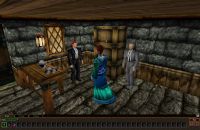
Ianto the tailor and his apprentice in Holtburg
-
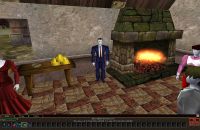
Ciriaco the tailor in Sanamar


Notes
- During the Shedding Skin event, some multi-coverage items were changed to single coverage, including Long Gauntlets (Hand and Lower Arms to just Hands) and Shorts (Abdomen and Upper Legs to just Abdomen).
- During the Cloak of Darkness event, Clothing, and Cloaks have become tailorable.
- During the Master of Design event, the following updates were made to Tailoring:
- All quest armor was made tailorable to loot generated armor, and vice versa. Quest armor cannot be reduced.
- Covenant Armor, and Olthoi Armor can now be tailored to any other loot generated, or quest armor.
- Multi-slot Upper Body Armor can now be reduced to Chest, Upper Arms, or Lower Arms.
- Multi-slot Lower Body Armor can now be reduced to Abdomen, Upper Legs, or Lower Legs.
- Single slot armor (appearance) can be tailored to reduced armor.
- During the Depths of the Dead event, Layering Tools can now be applied to quest armor.
- Retired during the Master of Design event:


